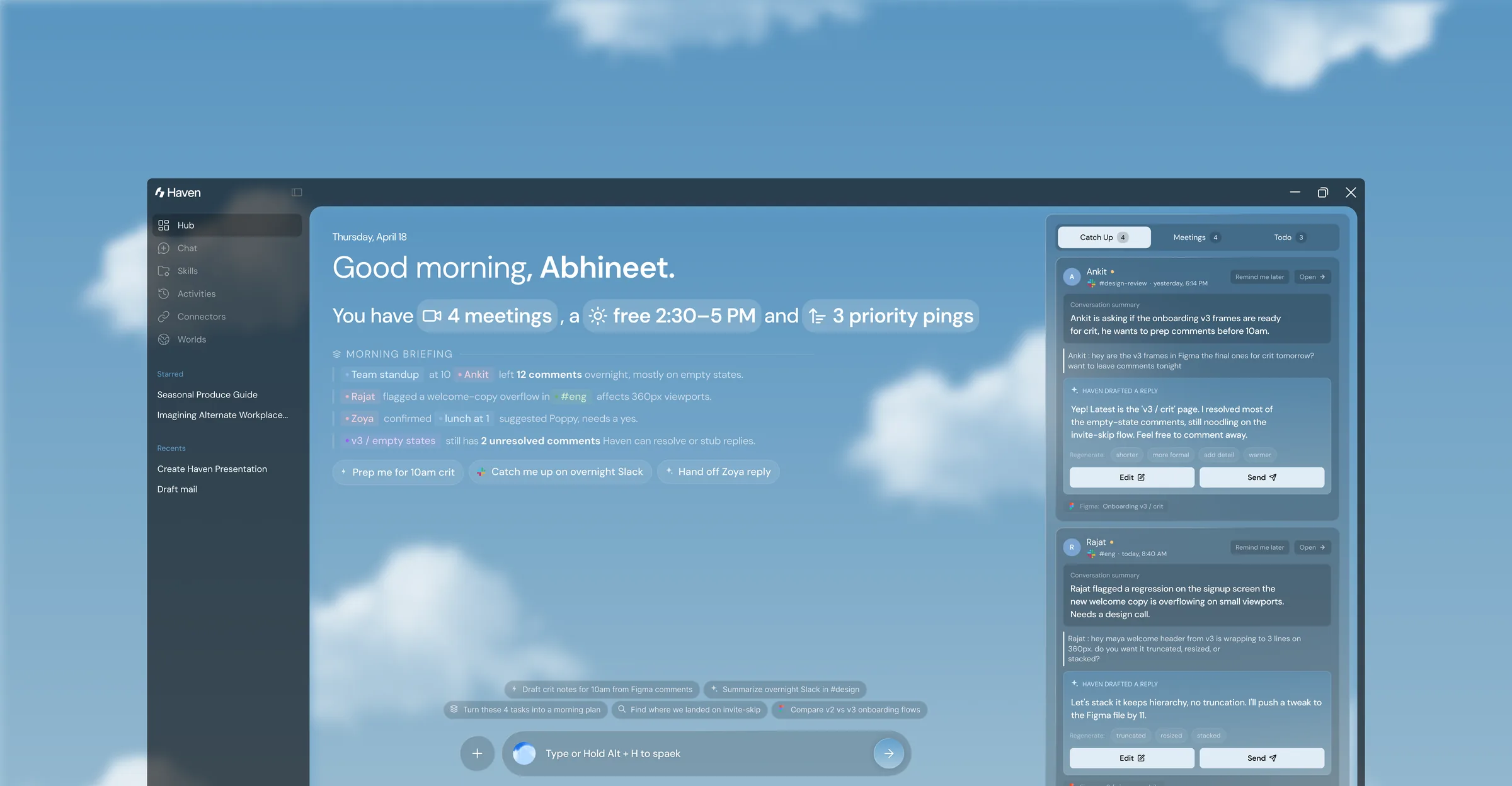
what haven is
The project started from a personal frustration, and became a design argument. The people I designed for do not have a productivity problem. They have a context problem. No tool understands which world they are in, what has changed in the others, or how to help them cross over. Haven is built to answer exactly those three questions.
-
Reads across tools
Connects, does not replace
It links to Gmail, Figma, WhatsApp, Calendar, Notion, and more, and reads across them. It never tries to be your inbox or your canvas.
-
Organised by world
Context is the primitive
Each client, project, or life domain is a named World with its own tools, history, and privacy boundary. Switching worlds swaps the whole context.
-
Three registers
Whisper, talk, record
The same information appears at three levels of attention: a full dashboard, a summoned pill for mid-flow questions, and a quiet tray for glances.
Every tool assumes it's your only context, so the cost of juggling many falls on you.
How might we help people move between contexts without losing their thread?
a day spent managing the gaps between tools
Every tool is designed as if it is the only context that matters. One inbox, one task list, one project. Nobody designs for the person juggling three. The cost lands on that person, in four predictable places across the day.
-
01
The morning scan
Before any real work starts, people open four to eight apps to work out what needs attention. The order is set by whoever messaged last, not by what matters.
-
02
Fragile focus
Deep work is a rare luxury, not a default. A single ping from another context is enough to break it, and most of those pings are self-generated.
-
03
Switching with no memory
Moving from one client to another means rebuilding an entire mental world by hand. There is no tool that saves or restores where things were left.
-
04
A day that never ends
Without a real shutdown, the brain never disengages. There is always one more message, so work bleeds permanently into the evening.
what the research validated
Six semi-structured interviews across freelance, student, intern, and corporate profiles, plus a study of the tool landscape and the literature on cognitive load and context switching. Three participants also kept time-stamped notes over three days.
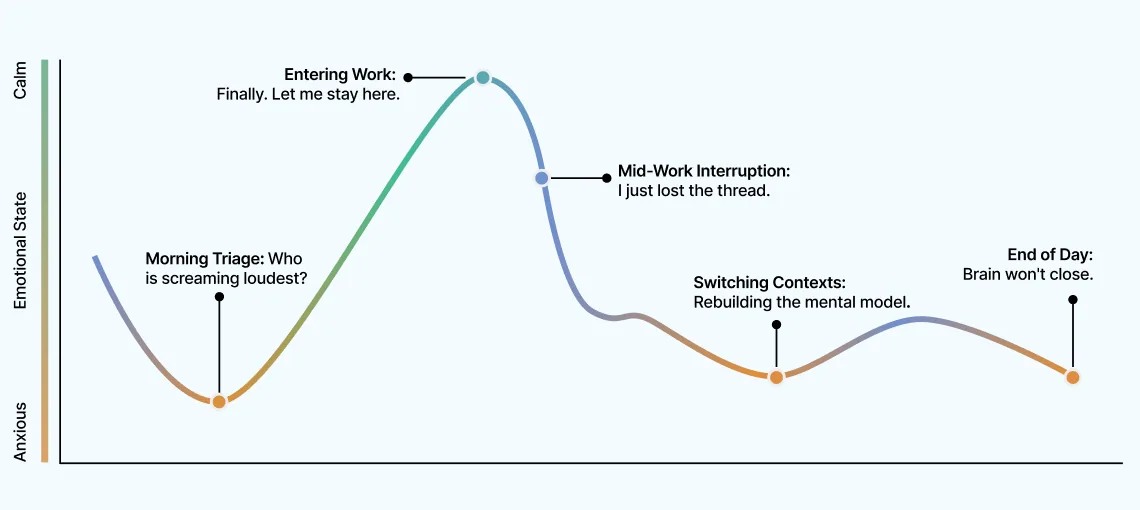
“People valued feeling less overwhelmed more than getting more done.”
This finding reset the whole direction. The pain was not the volume of work. It was managing the transitions between contexts. So Haven optimises for cognitive clarity, not throughput. Success is whether the person feels oriented and in control.
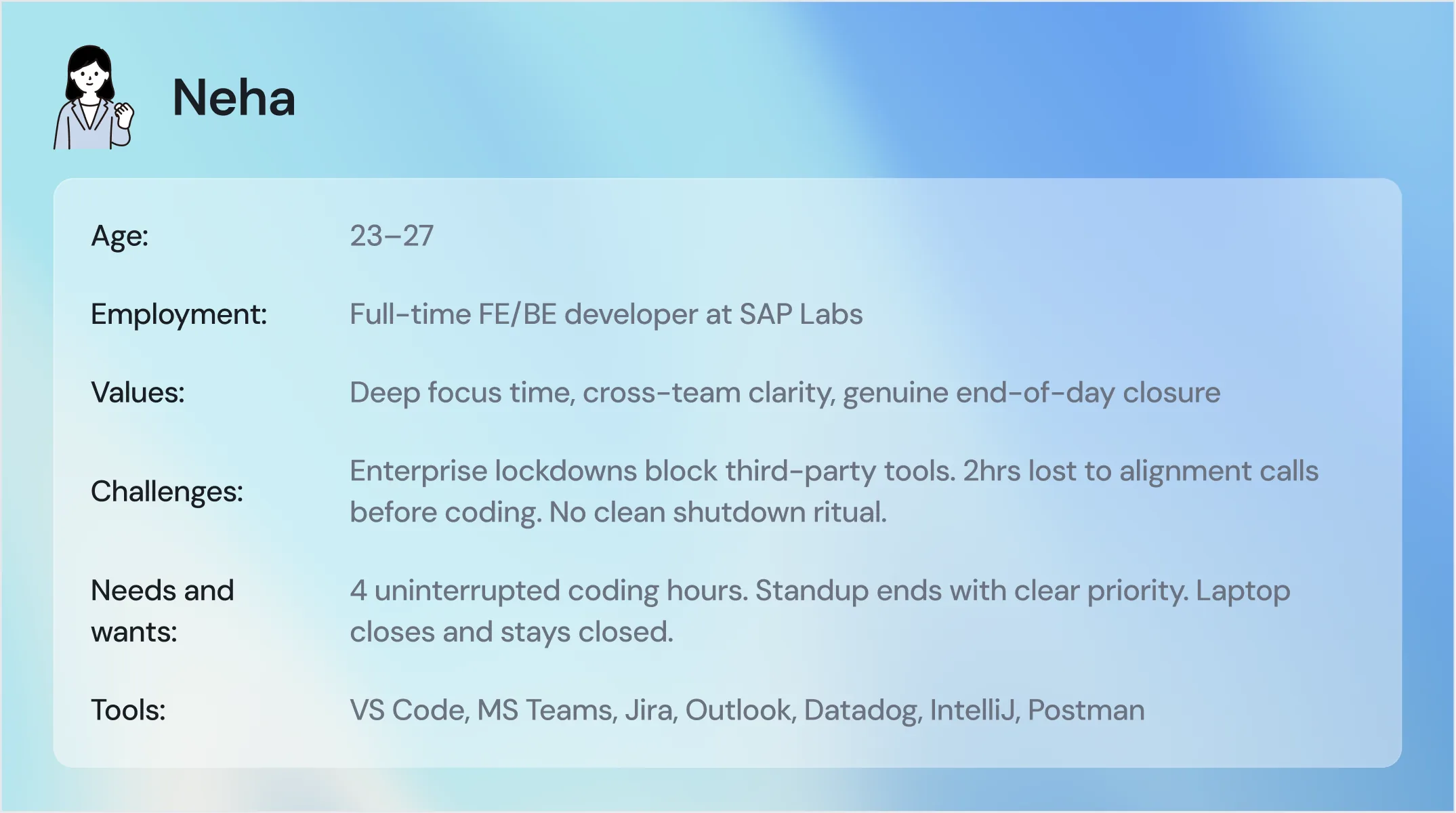
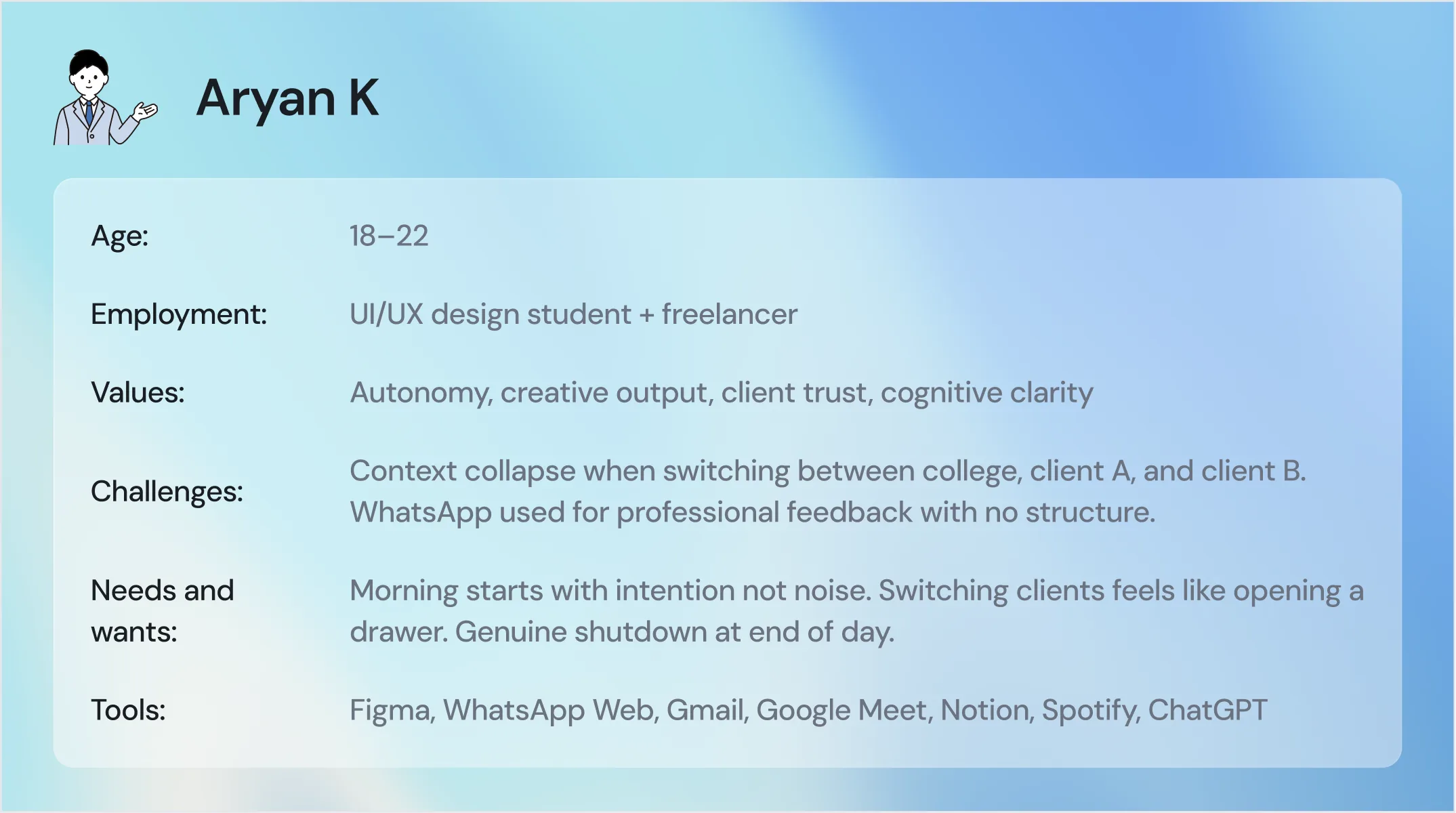
Two personas held the design honest. A developer inside an enterprise, and a student juggling college and two freelance clients.
where the existing tools stop
Eighteen products were reviewed across three categories. Each solves part of the problem and leaves the rest untouched. No product sits where all three overlap.
-
01
Ambient surfaces
Launchers like Raycast and Alfred are fast and always available, but stateless. They can open a file, not tell you which file to open first.
-
02
AI orchestrators
Tools like Copilot and Dimension work across apps, but assume a single context, and often ask for a level of trust the user does not have.
-
03
Workspace managers
Arc, Wavebox, and Rambox separate contexts into workspaces, but have no intelligence. They cannot tell you what is urgent or what changed.
No product combines ambient presence, context intelligence, and graduated AI trust in one place. That intersection, the missing connective layer above every tool, is the space Haven was designed to occupy.
from findings to a brief
The journey map and the affinity clusters pointed to four opportunity areas, each tied to a specific moment in the day. Each one then became a How Might We question that framed the design work.
-
01
Replace the morning scan
Consolidate signal from across the tools into one ambient surface, ordered by importance. It aims to remove the 20 to 40 minutes of morning triage.
-
02
Protect deep work
Defer non-urgent pings and resurface them at a chosen moment, protecting flow without making the person go dark to everyone else.
-
03
Eliminate context reconstruction
Save and restore the full working state for each client or project, open files, active threads, pending decisions, in a single action.
-
04
Design the end of day
Create a deliberate shutdown that shows evidence of work done, holds late signals, and grants permission to disengage.
How might we
-
Morning triage
How might we replace the multi-app morning scan with a single ambient surface that shows what actually matters, ordered by importance, not recency?
-
Deep work
How might we protect a person's focus state without making them go dark to the rest of the world?
-
Context switch
How might we make switching between client contexts feel like opening a drawer rather than rebuilding a mental world from scratch?
-
AI trust
How might we make an AI agent's actions fully legible and reversible, so a user never feels they have lost control of their own files?
-
End of day
How might we design a genuine end-of-day ritual that gives a person cognitive closure, not just a closed laptop?
five principles that decided everything
Each principle came straight from a research finding, and each one worked as a filter. For any design choice, the question was whether it moved toward these or away from them.
-
01
Priority over recency
No surface ever orders by time received. Signal is ranked by deadline, sender, impact, and frequency, and the reason is always available.
-
02
Trust through transparency
The agent never acts silently. Every surfaced item and every suggestion can show what Haven read and why it drew the conclusion it did.
-
03
Ambient, not intrusive
Available when needed, invisible when not. It never steals focus, never pops up uninvited, and holds notifications instead of forwarding them.
-
04
Context as the primitive
Everything is organised by World. Navigation, history, permissions, and tool connections all live at the level of the client or project.
-
05
Emotional outcome first
Haven is measured by how the person feels, not how much they finish. Every micro-decision aims at orientation and calm.
information architecture
One root, three surfaces. Haven branches into the Tray Panel for glances, the AI Pill for mid-flow input, and the dashboard for the full picture, with Worlds, Connectors, and the graduated permissions running underneath.
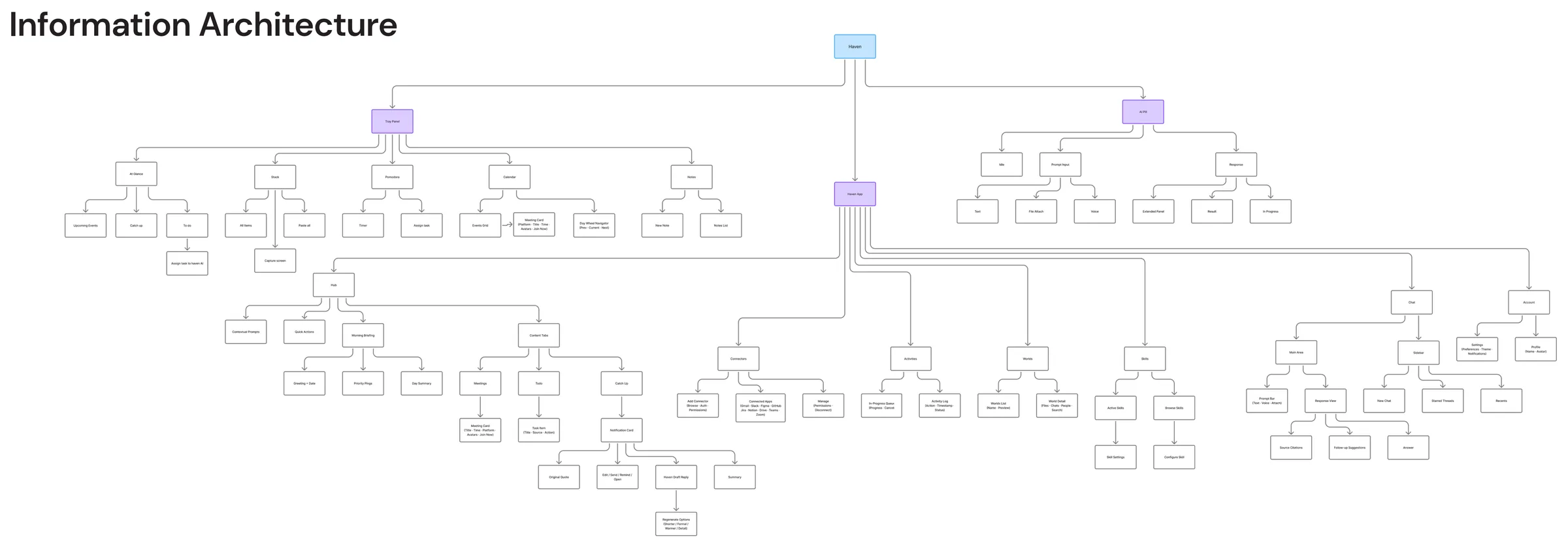
Scroll sideways to follow the full map.
the day, before you open six apps
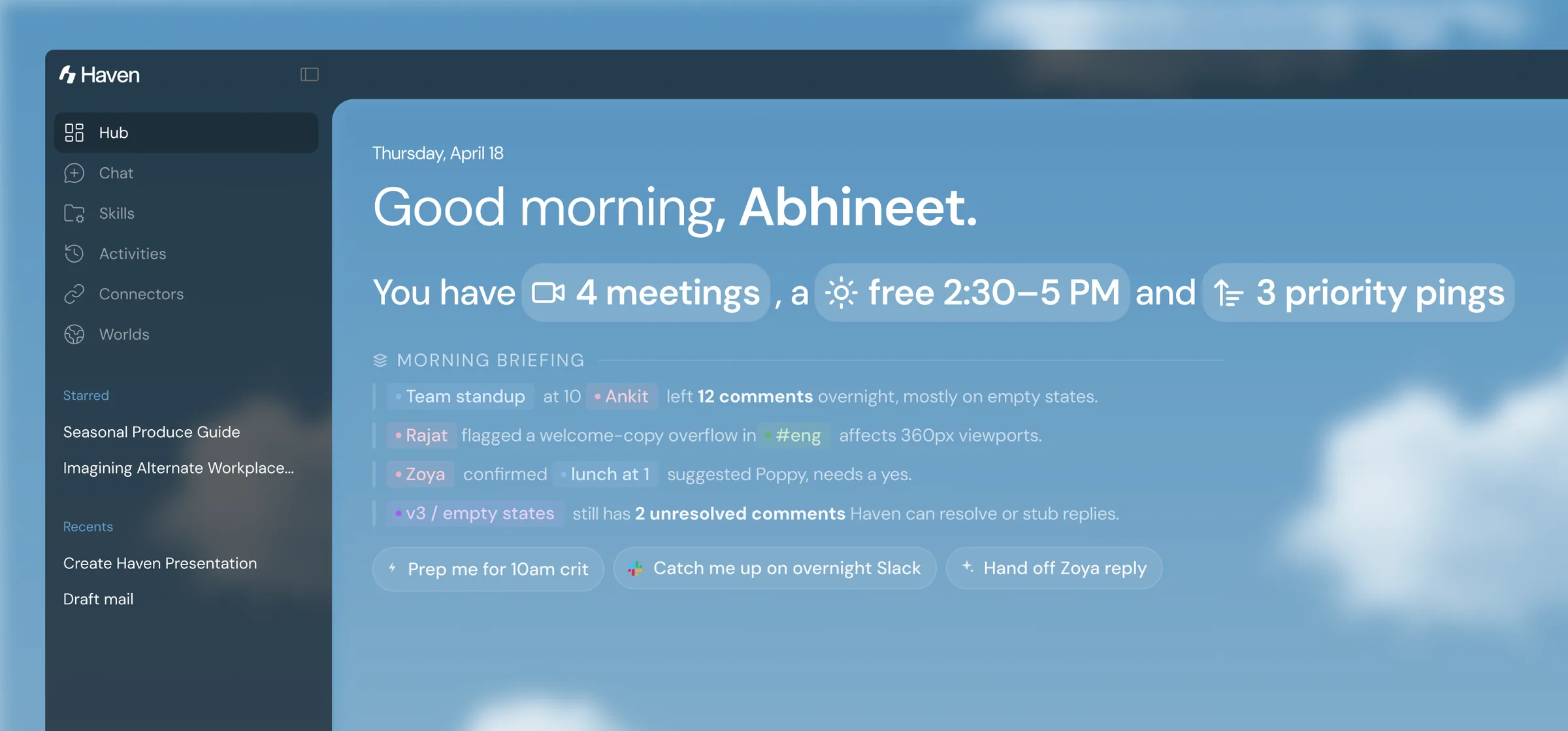
The Hub opens on a briefing, not a dashboard. It reads across the connected tools overnight and lays out the day in one place, ordered by importance. It aims to replace the morning scan and the twenty to forty minutes it costs.
- Open WhatsApp
- →
- Gmail
- →
- Calendar
- →
- Figma
- →
- build the plan by hand
- Open the briefing
- →
- read what matters, in order
- →
- act or defer
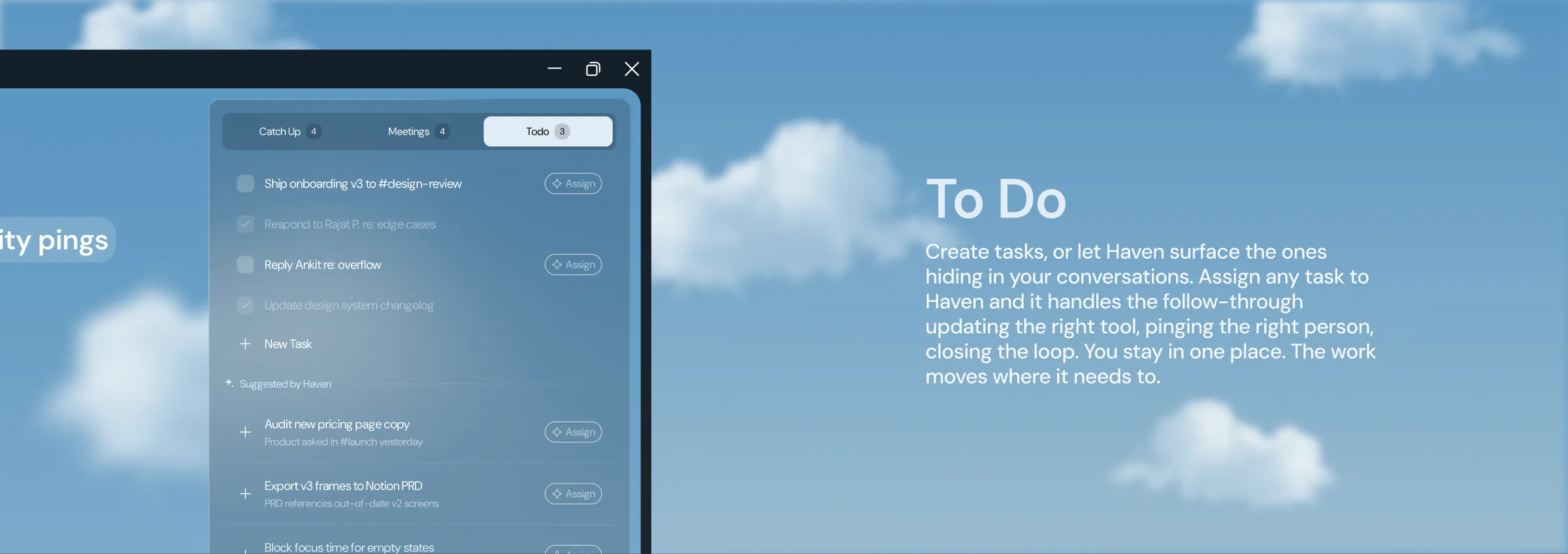
catch up, meetings, and follow-through
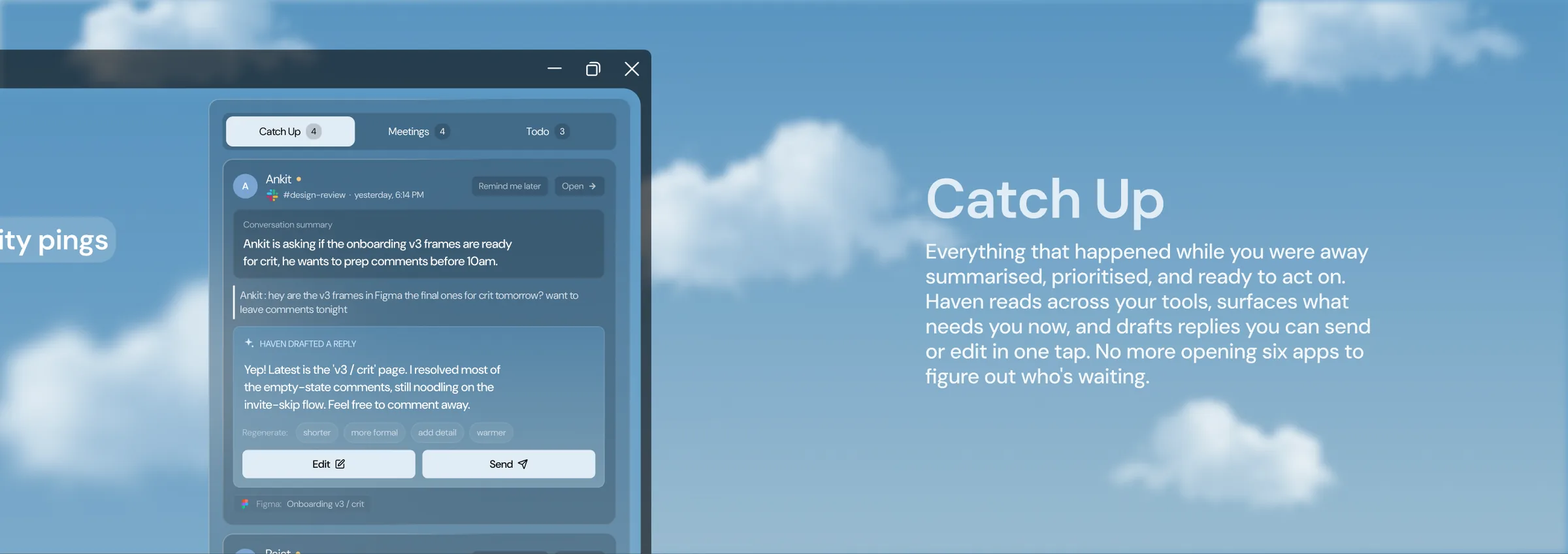
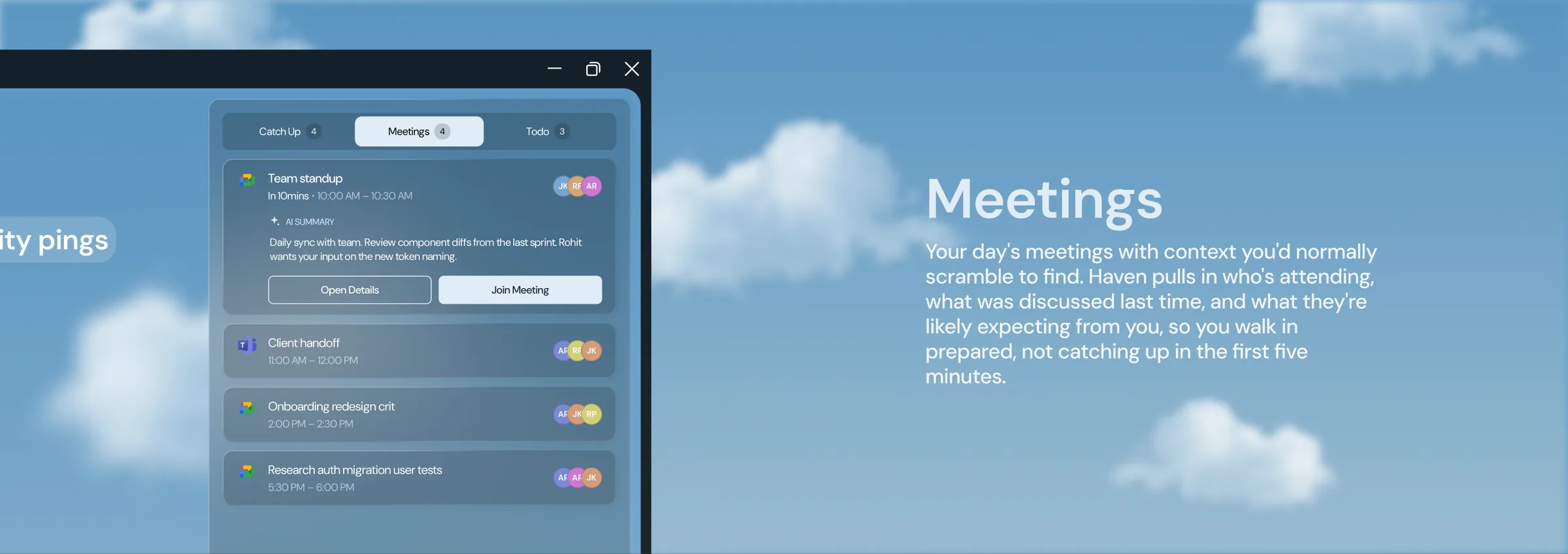
Behind the briefing, the same window holds three working views. Each one is built so the person stays in one place while the work moves to where it needs to go.
Catch Up
Meetings
To Do
the same intelligence, at three levels of attention
The dashboard is for deep setup. Most of the day, the person is inside another tool. So the same intelligence appears in lighter registers: a pill summoned mid-flow, a quiet strip for glances, and a voice input that does not break the current working state.
-
Record
The dashboard
For morning orientation and deep setup. The full picture, when the person can give it their attention.
-
Conversation
The pill
Summoned mid-flow to ask a question or take an action, then dismissed. It never appears uninvited.
-
Whisper
The tray
A persistent, non-intrusive strip that shows the active World. It informs without demanding a click.
At a glance
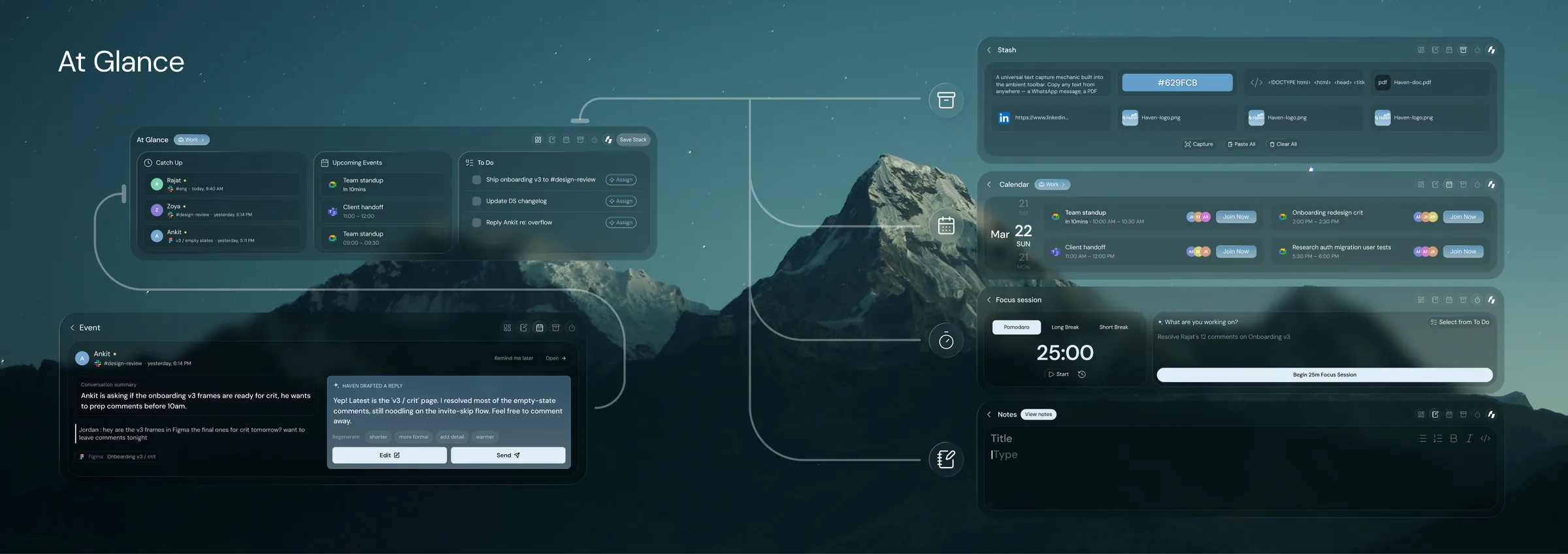
The pill, working
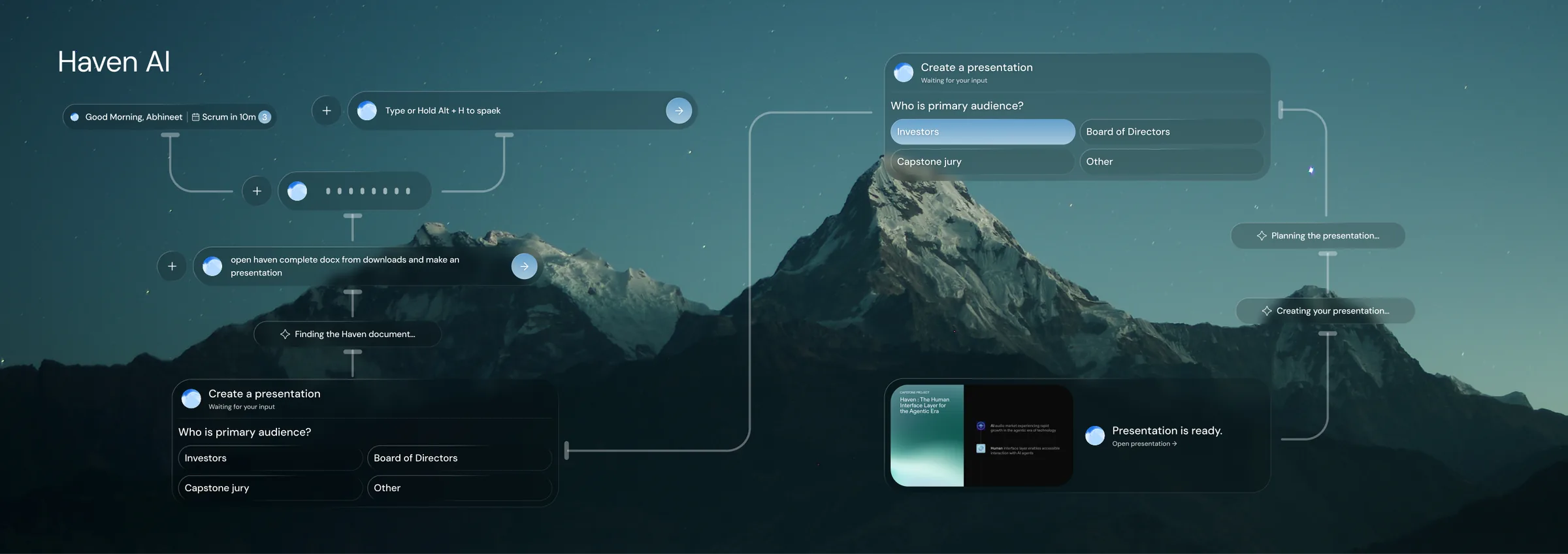
Focus and stash
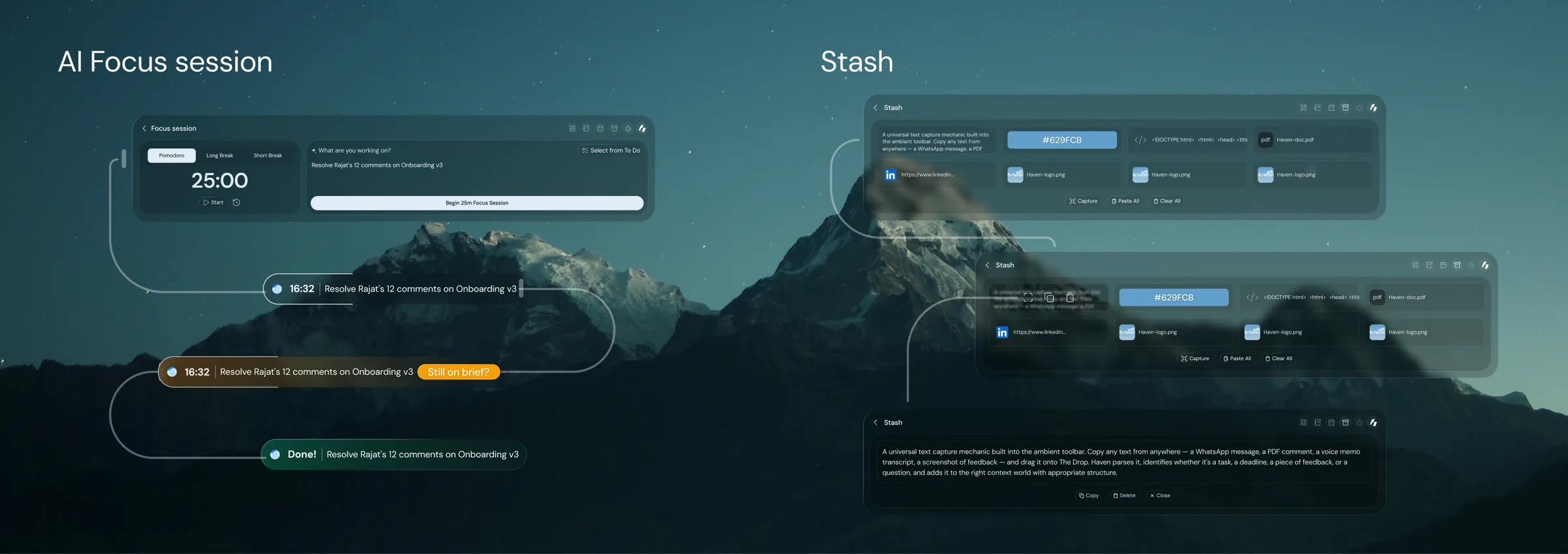
Hand it to Haven
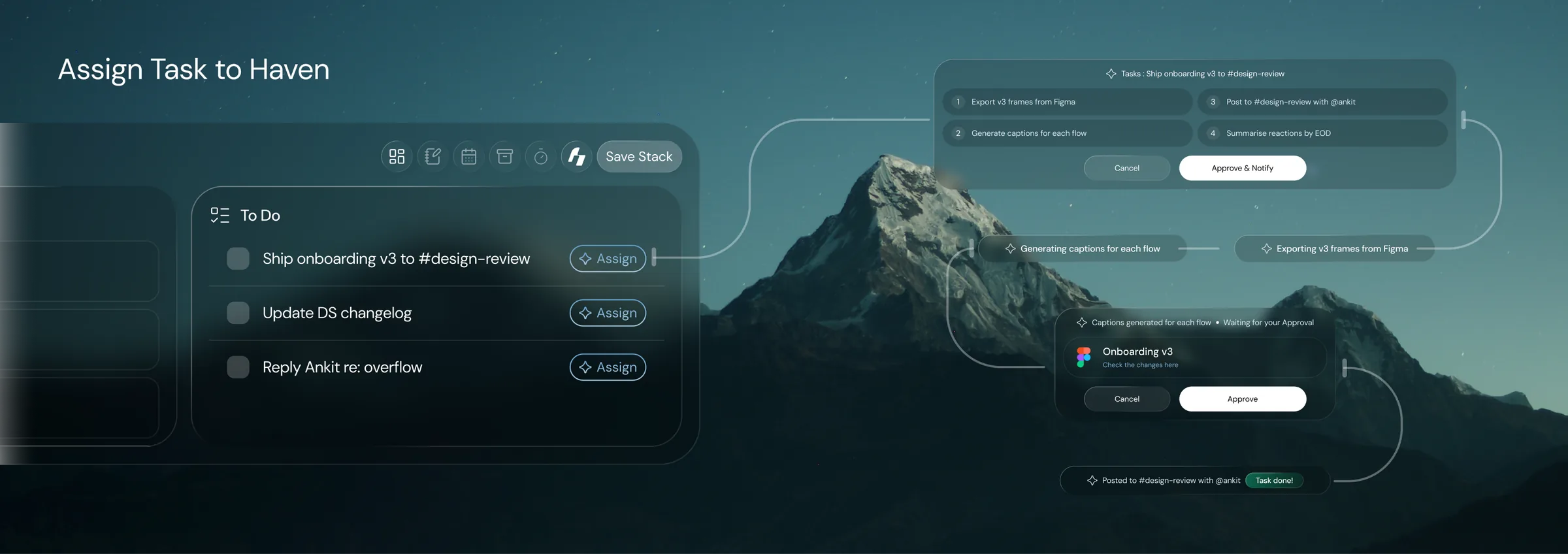
How the pill works
- Summon with Win+H
- →
- type or speak
- →
- read, suggest, or act
- →
- dismiss, back to work
a real end to the day
Every participant described work bleeding into the night, and none had a reliable way to stop. The shutdown is a deliberate close. It shows evidence of what got done, holds late signals until morning, and gives permission to disengage.
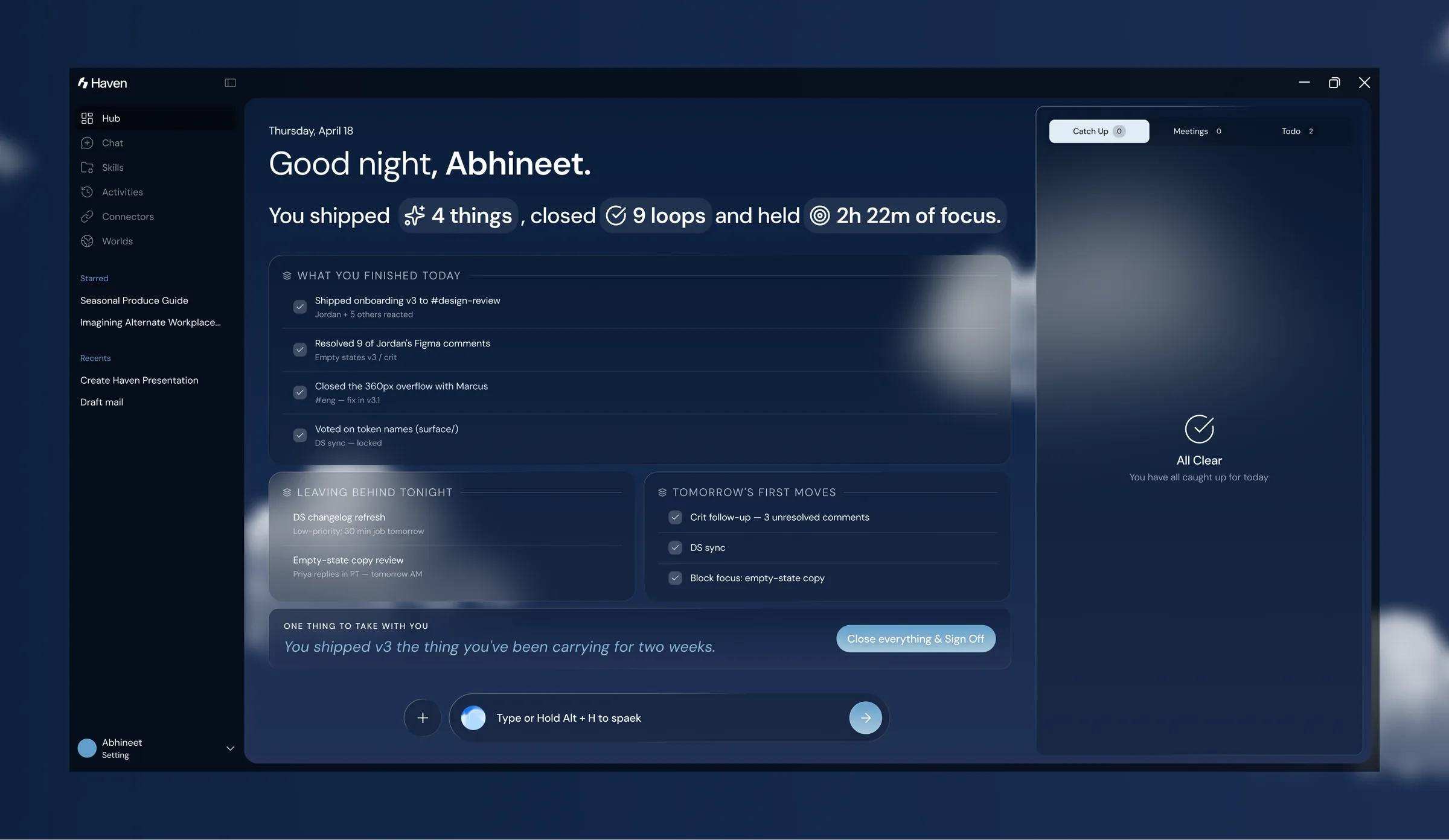
try it
The interactive prototype runs the core flows, from the morning briefing through catching up, switching worlds, and the shutdown. Click through it below.
a calm, spatial, sky-blue world
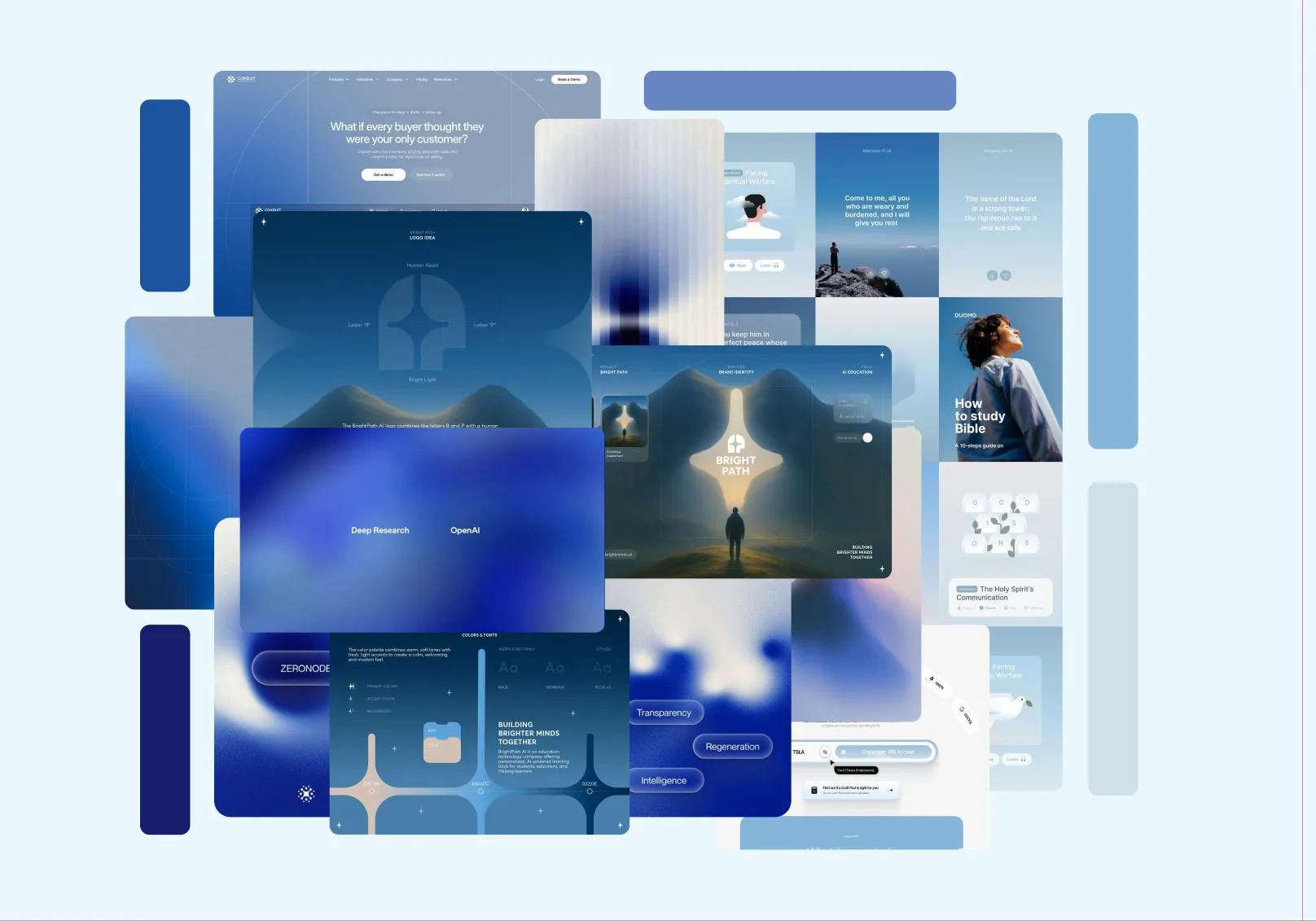
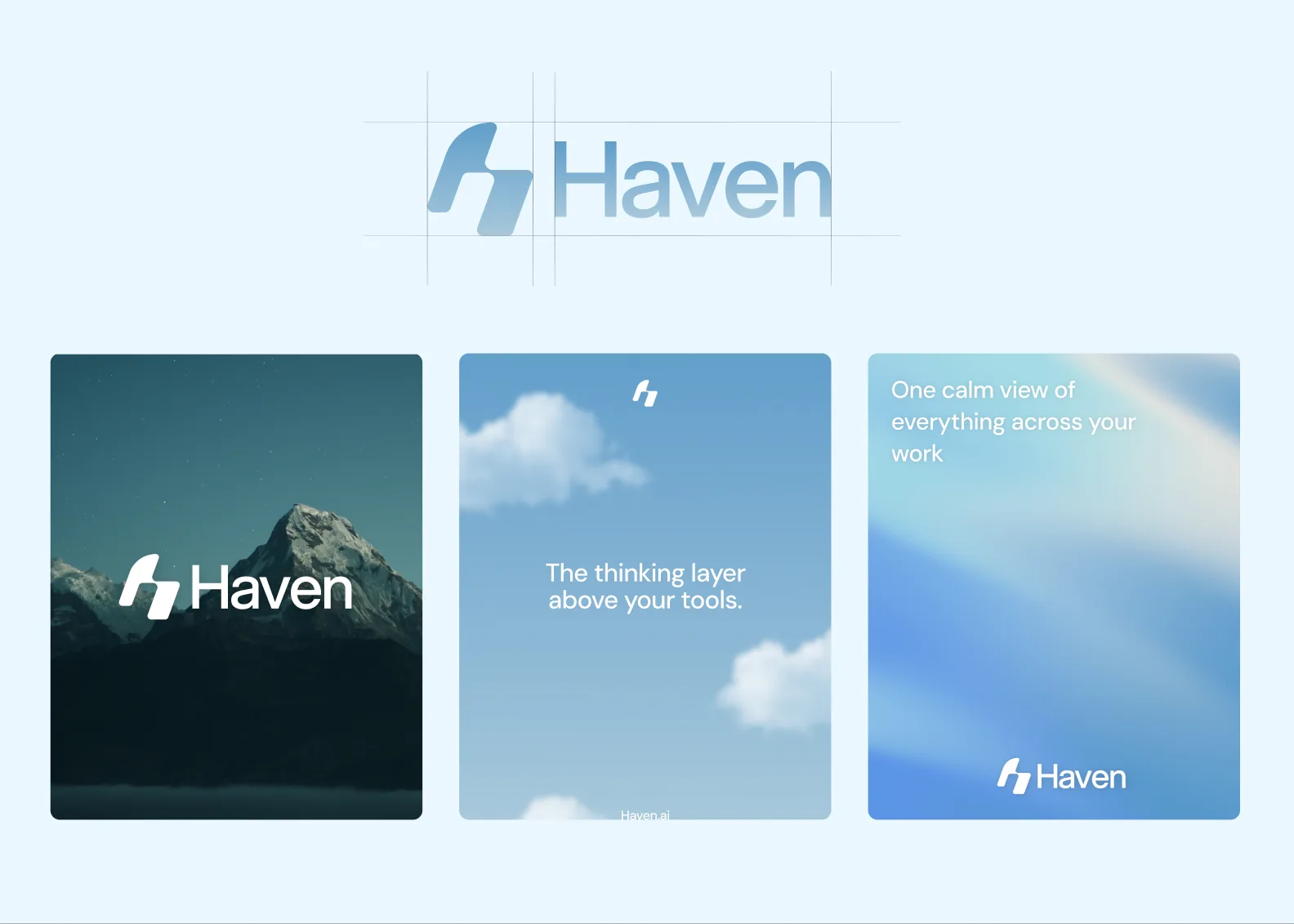
Before the screens came the feeling. The visual direction reaches for calm technology: soft blues, open sky, and space to breathe. The mark is a lowercase h that doubles as a mountain, and the language stays quiet, warm, and grounded.
the system underneath
Haven runs on a token-based system. One typeface at intentional weights, five colour ramps built on a primary blue, and scales for spacing, radius, and control heights so every surface stays consistent.
Type
Everything is set in DM Sans. Headings use SemiBold with tight tracking, down to minus 2.2 percent. Body text runs from 10 to 18px with letter spacing tuned for legibility at each size.
Colour
Five ramps, each running 50 to 1000. Blue is the primary brand ramp. Red, orange, and green carry status, and a cool zinc holds the neutral surfaces.
Scales
what worked, and what is unresolved
“The next generation of software will be judged less by what it can do, and more by how gracefully it stays out of your way.”
What worked
Starting with research, before any design, meant every core idea traces back to something a person said. The Worlds metaphor landed without explanation. And the trust ladder gave the person and the agent a genuinely different relationship, one the competitive set does not offer.
What is unresolved
The shutdown is the least validated surface. Onboarding, how a person creates their first World and connects their first tool, was scoped out and is really the critical first experience. Both would come first in a second round, tested with the prototype.